Studios rarely struggle because they don’t have enough tools. They struggle because the work between those tools and the handover between departments still depend on manual steps.
A publish in one DCC might need to trigger work in another. A render might need extra processing before it is ready for review. A version might need to be encoded, packaged, or handed off without someone manually stitching the steps together. Over time, those gaps are often filled with custom scripts, duct tape, and one-off workarounds that are hard to maintain.
The Workflow Add-on is designed to help close those gaps. Included with AYON Studio, Workflows Add-on is a node-based automation framework for building and running custom workflows inside AYON. It gives technical teams a structured way to connect publish events, DCC actions, render farm jobs, and downstream processing into repeatable workflows that stay close to the pipeline they already use.
Automating the steps between systems
Most studios already have the foundations of a pipeline in place (even if it’s not fully integrated and relies on heavy manual work). They can publish work, render it, review it, and track progress. The friction usually appears in the handoffs between those steps.
Someone needs to trigger the next task. Someone needs to run a script. Someone needs to make sure the result ends up in the right place. The work itself is often straightforward, but it’s repetitive, fragile, and difficult to scale.
The Workflow Add-on is built for that part of production. It gives teams a better way to automate the logic that sits between steps, without pushing that logic into disconnected tools or hard-to-track scripts.
A visual way to build custom workflows
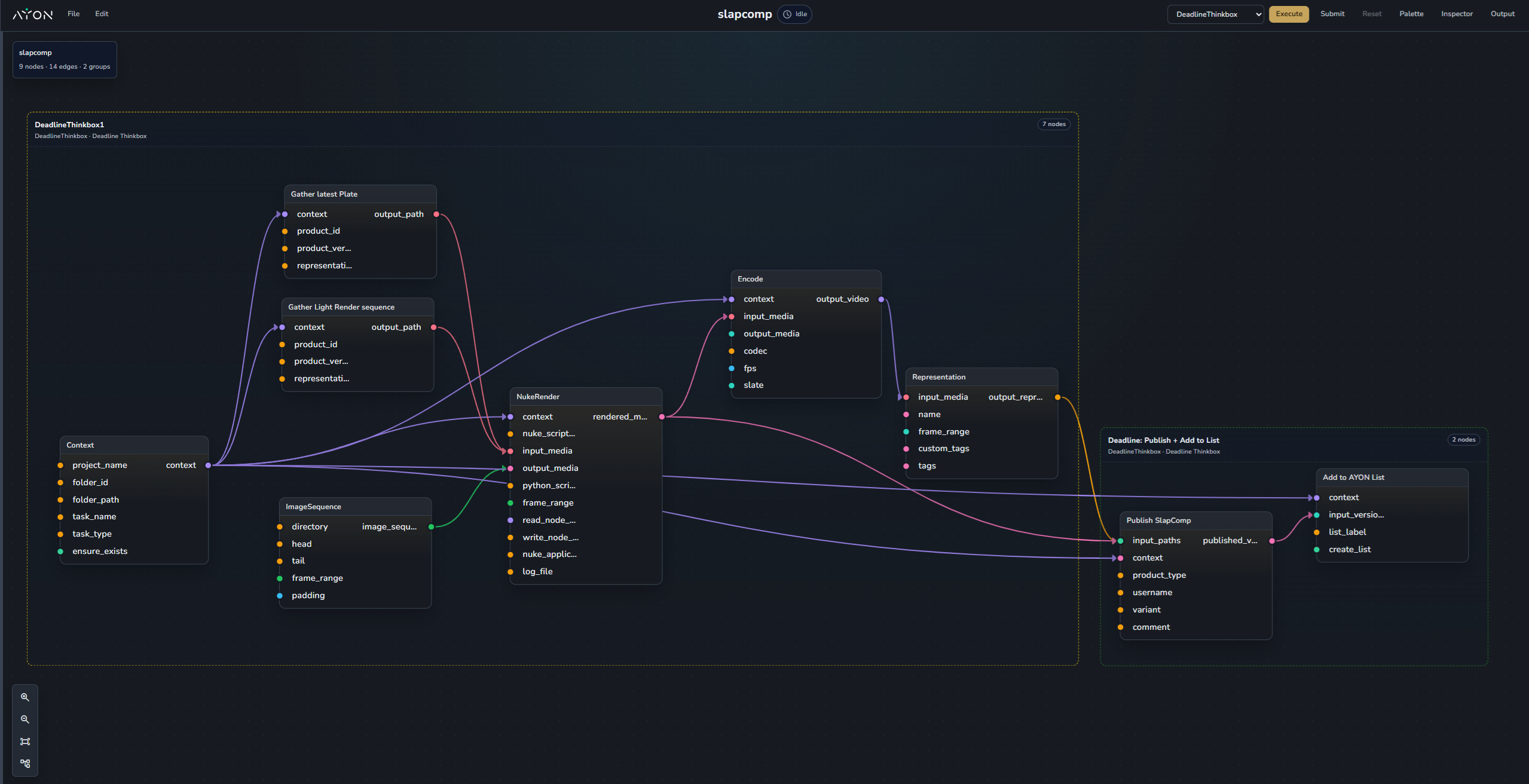
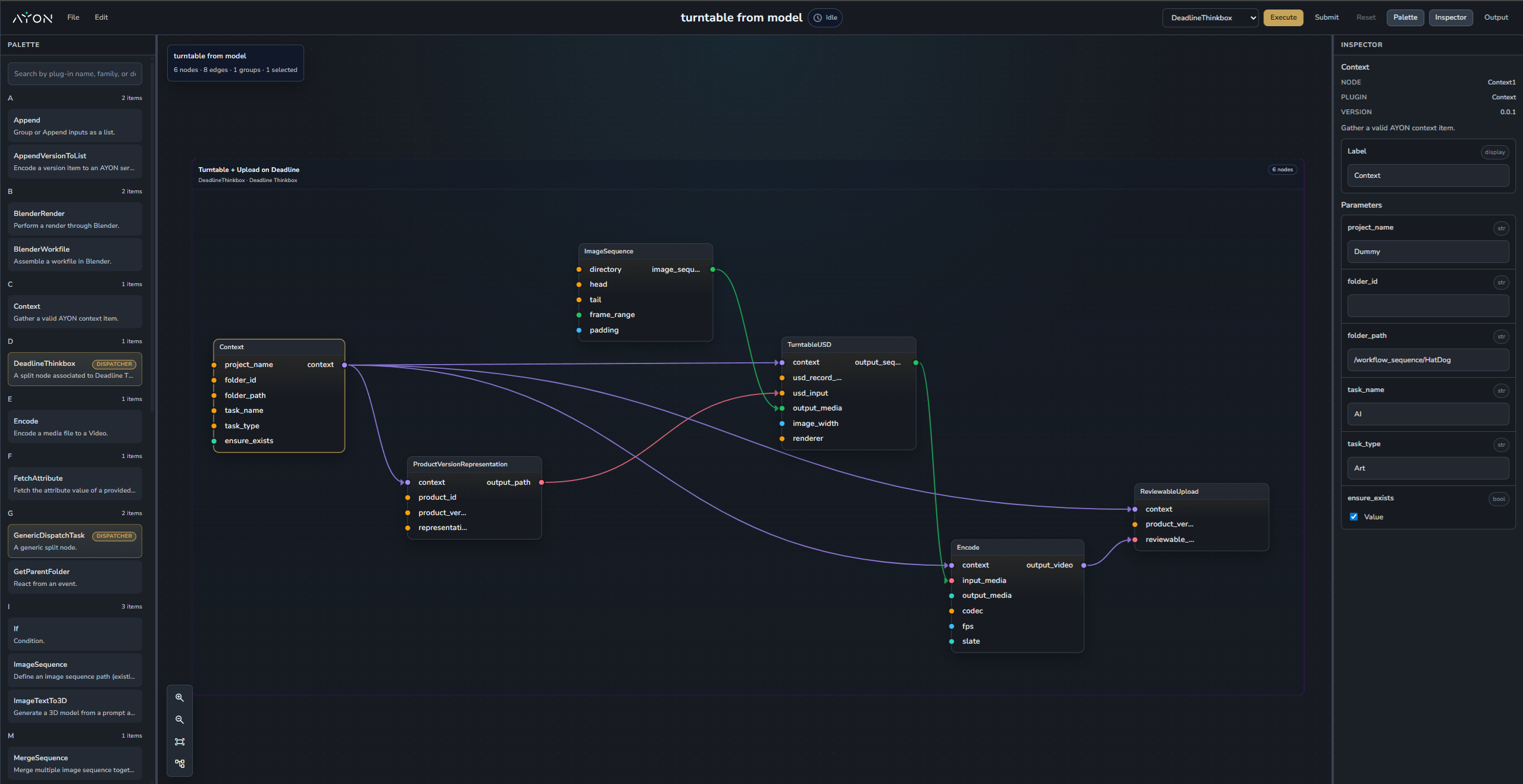
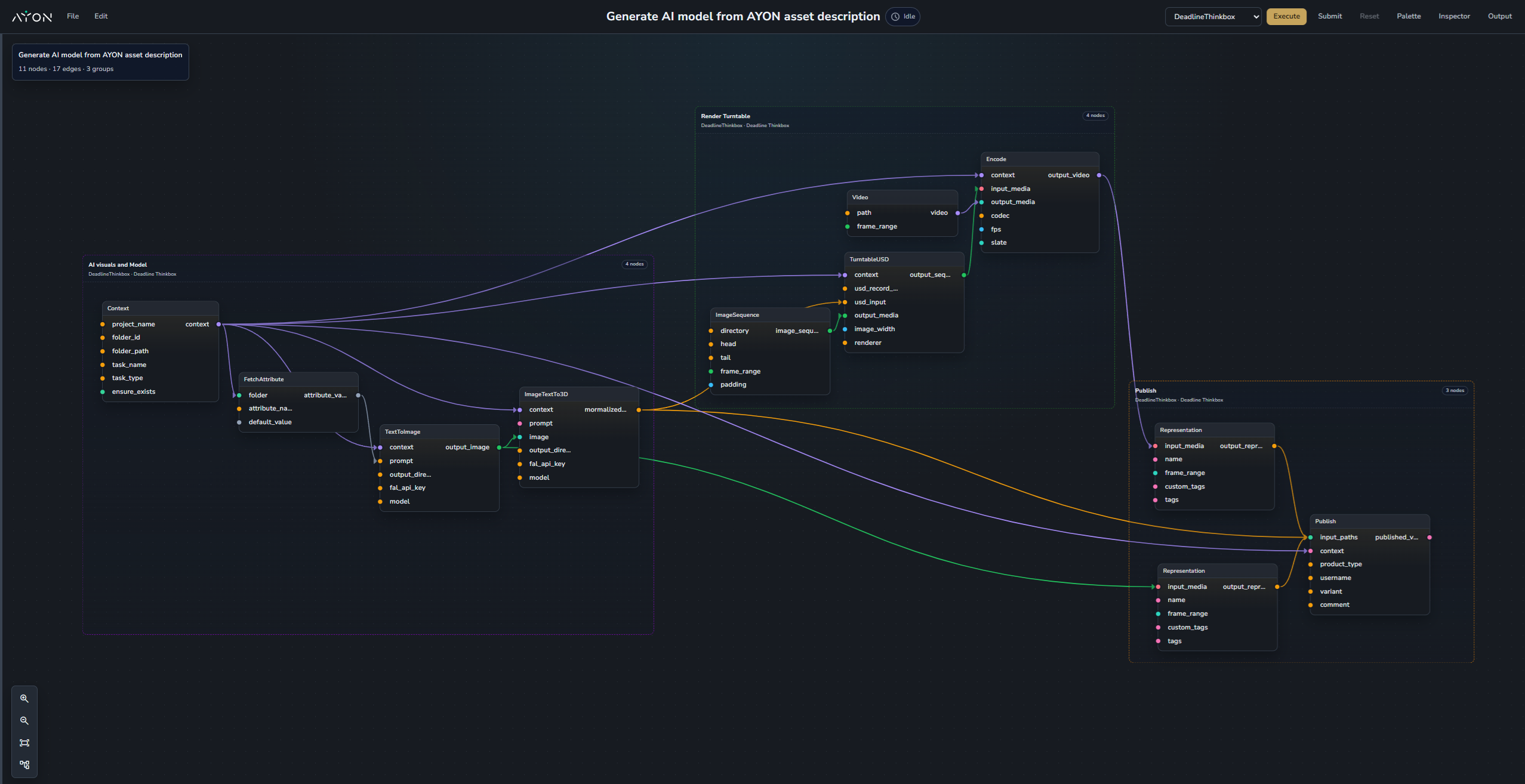
At the centre of Workflow Add-on is a visual node graph for defining workflow logic. This matters because automation is not only about what needs to happen, it’s also about where it runs, how it’s split, and how the result flows back into production. A workflow can be built once, then executed in different ways depending on the task. It might run locally, or it might be dispatched across the render farm as a sequence of jobs.
The benefit is not just that it’s visual. The benefit is clarity and flexibility. Teams can see the logic, inspect it, discuss it, and refine it more easily. Instead of burying important behaviour inside custom scripts that only one person can view and understand, they get a more structured and accessible way to manage automation inside AYON.
Built to extend the pipeline you already have
For teams already using AYON, it means custom automation can live closer to the data, context, and production logic it depends on. Publish events, render processing, review preparation, packaging, and downstream actions can all be connected in a way that feels like part of the pipeline, not something bolted on beside it.
That makes Workflow Add-on especially useful for technical artists, pipeline TDs, supervisors, and R&D teams who need more flexibility, but still want that flexibility to stay grounded in production.
Designed for production work
The Workflow Add-on is built around the kinds of tasks studios already deal with every day. That could mean triggering a downstream render after publishing. It could mean generating turntables on the farm. It could mean inserting an extra processing or encoding step before review. It could mean packaging deliverables or triggering actions from the web browser of AYON.
These are different tasks, but they follow the same pattern. They sit between established steps in the pipeline, and they benefit from being automated in a way that is structured, visible, and repeatable.
For technical teams, that can mean fewer brittle handoffs, fewer one-off fixes, and a clearer path from pipeline idea to repeatable workflow. For AYON, it opens the door to a more connected automation layer that grows from production needs and stays closely tied to the wider production environment around it.
Workflows will be gradually rolled out to AYON Studio users. For early access to Workflows, please contact us.
Stay up to date with all the Ynput and AYON news and get an invite to our Discord
newsletter
community
updates
By becoming a member of our community, you’ll gain access to the early beta version of AYON. You can also participate in discussions and receive occasional info about new releases, features, events, and other Ynput news.